System cleanup, app uninstaller and a menu bar hardware panel — three jobs done right. v2 is rewritten natively in Swift and weighs just 4 MB. Everything runs on your Mac, and every deletion passes a path safety check and is written to an audit log.
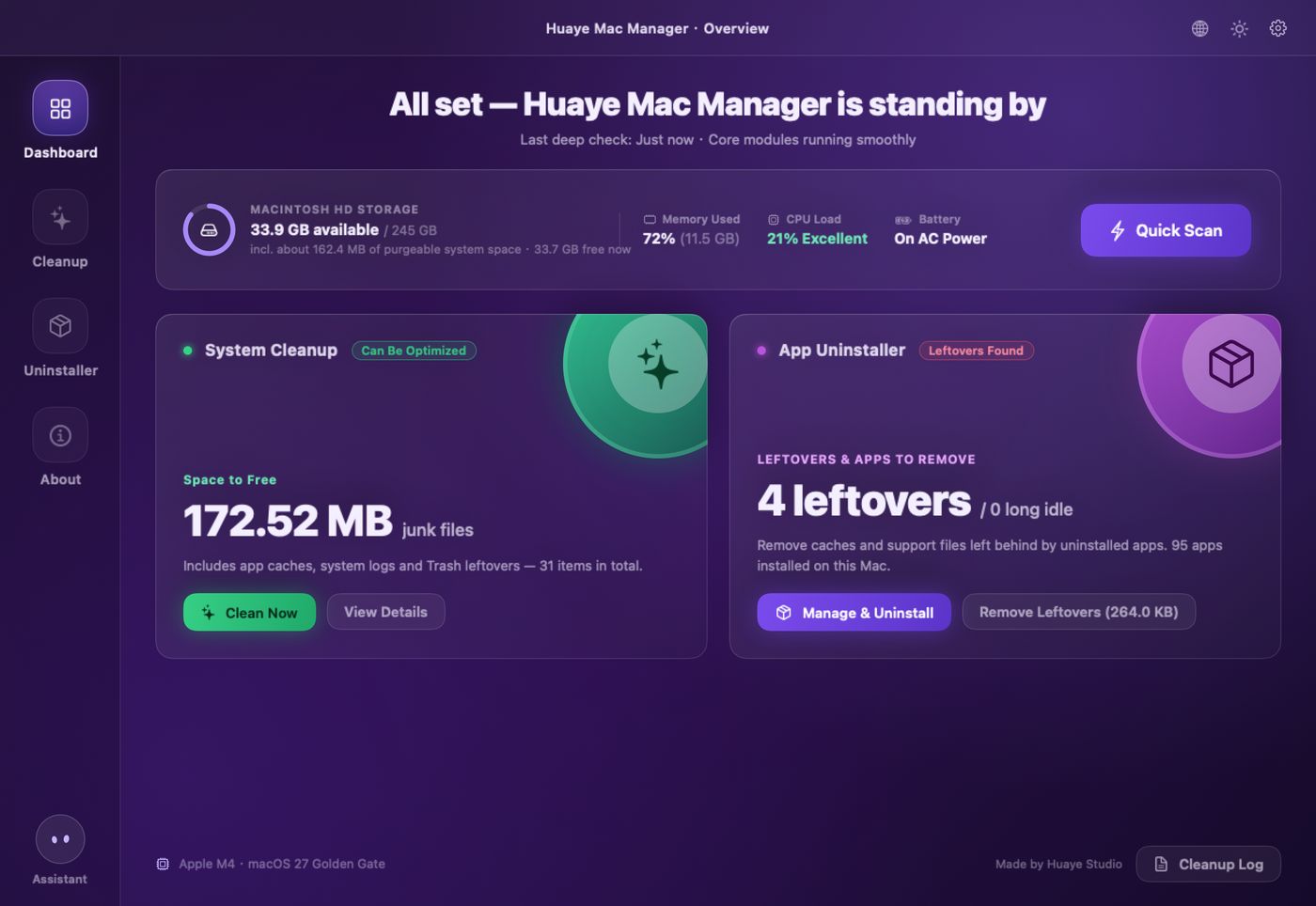
Electron is gone. Rewritten from scratch in Swift + SwiftUI, with no bundled browser engine and no scripts. It looks and works the way you know, but it’s smaller, faster and feels right at home on the Mac. Since v2.1 it speaks 13 languages.
Built with Swift + SwiftUI / AppKit and calling system APIs directly to read hardware status and measure disk usage. It launches fast and stays in the menu bar without dragging a browser engine along.
4 MB to download, about 8.6 MB installed — around a twenty-fifth of the old version. Downloads in seconds.
English, 简体中文, 繁體中文, 日本語, 한국어, Français, Deutsch, Español (Spain / Latin America), Português, Italiano, Bahasa Indonesia and हिन्दी. It follows your system language, and the globe icon in the title bar switches instantly.
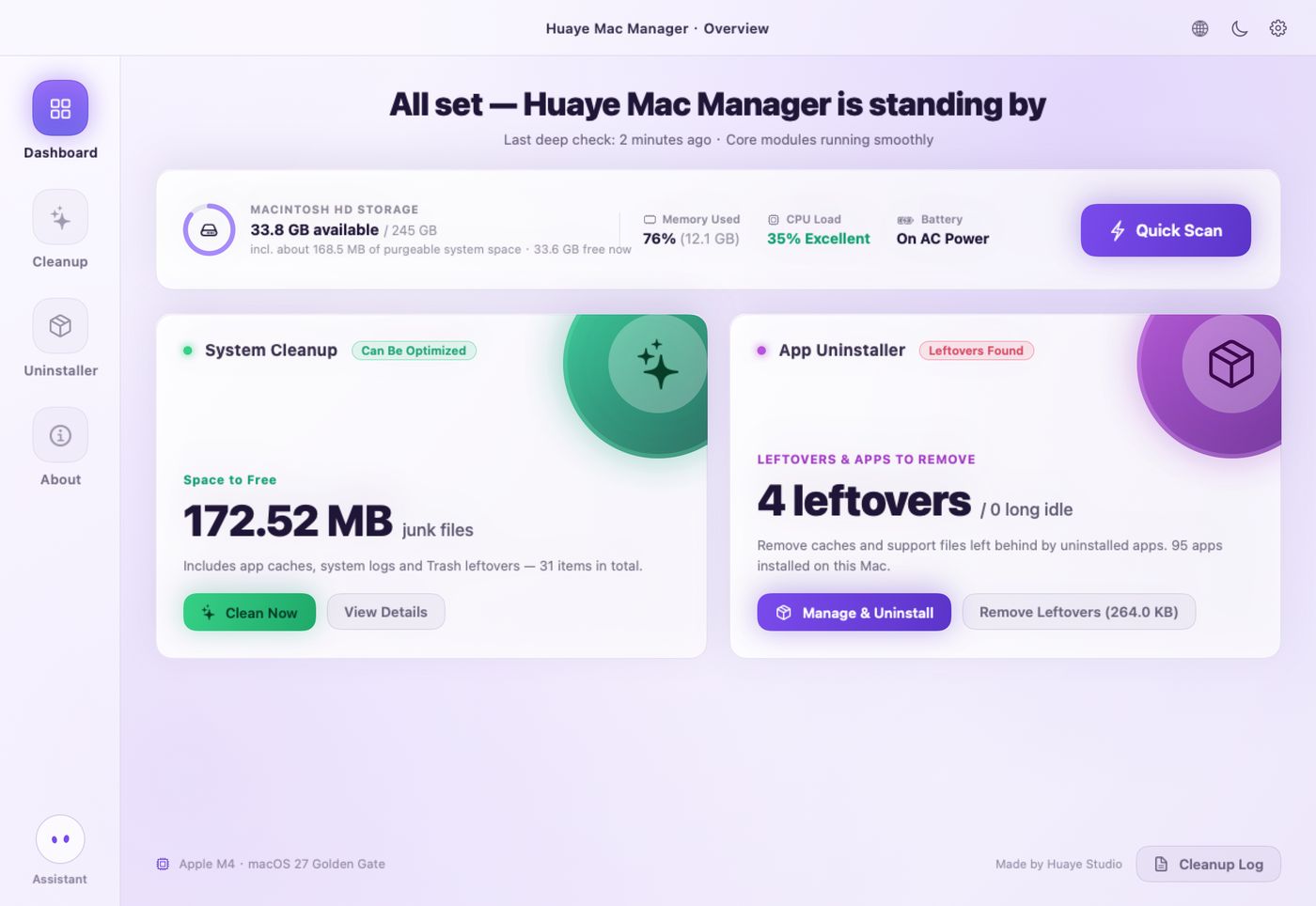
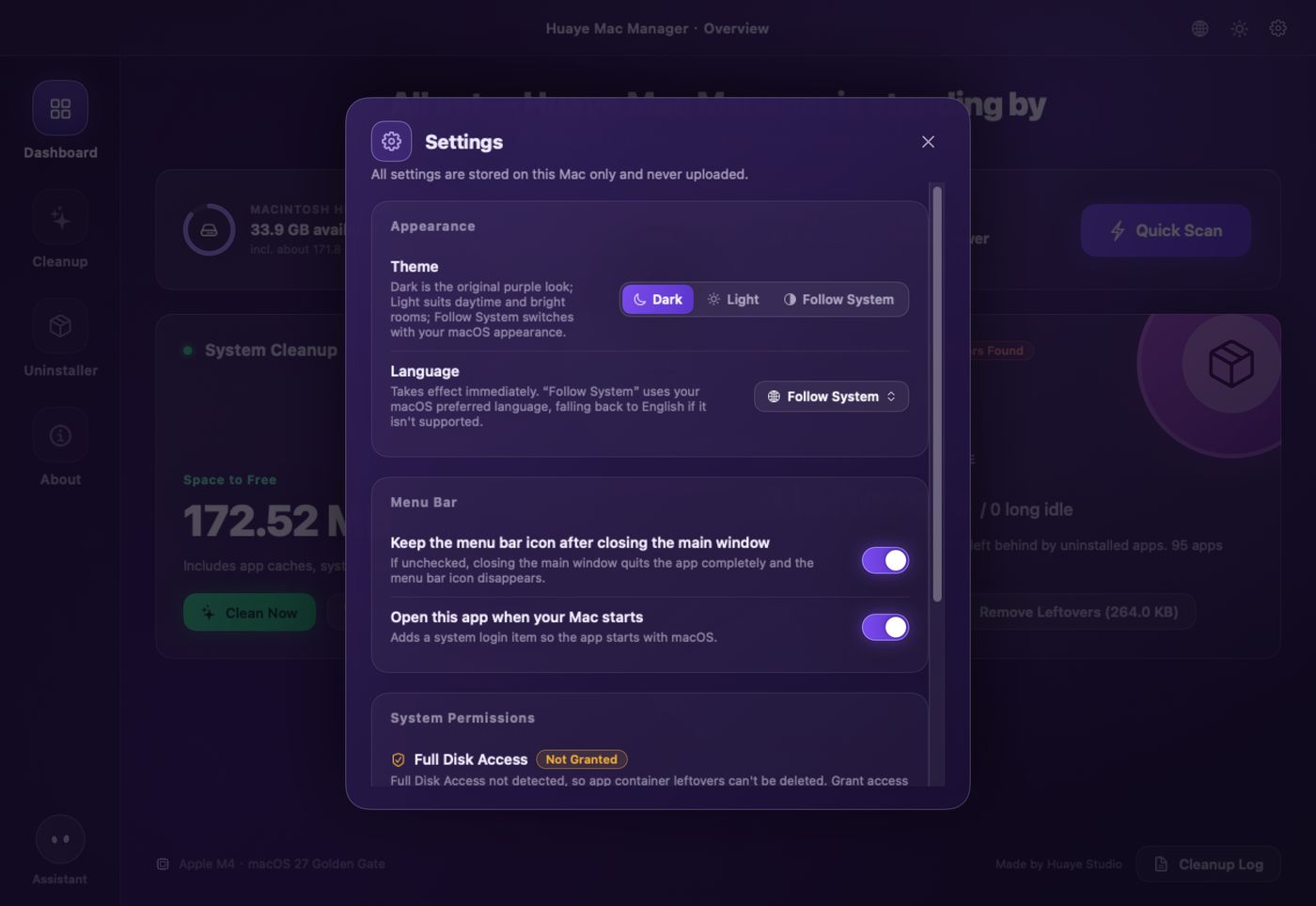
The original purple dark theme plus a fresh light theme, or follow your system appearance automatically. The menu bar panel switches too.
Checks your Mac once at every launch, gives a short report, then stays quiet. It only alerts you when disk space is critically low or the Mac is overheating — and at most once every 12 hours per issue.
Just install over the old version: settings, cleanup logs, license and trial period are all kept. No re-activation needed.
Scan time measured with the built-in quick scan on the same Mac (Apple M4); actual time depends on cache volume and disk state.
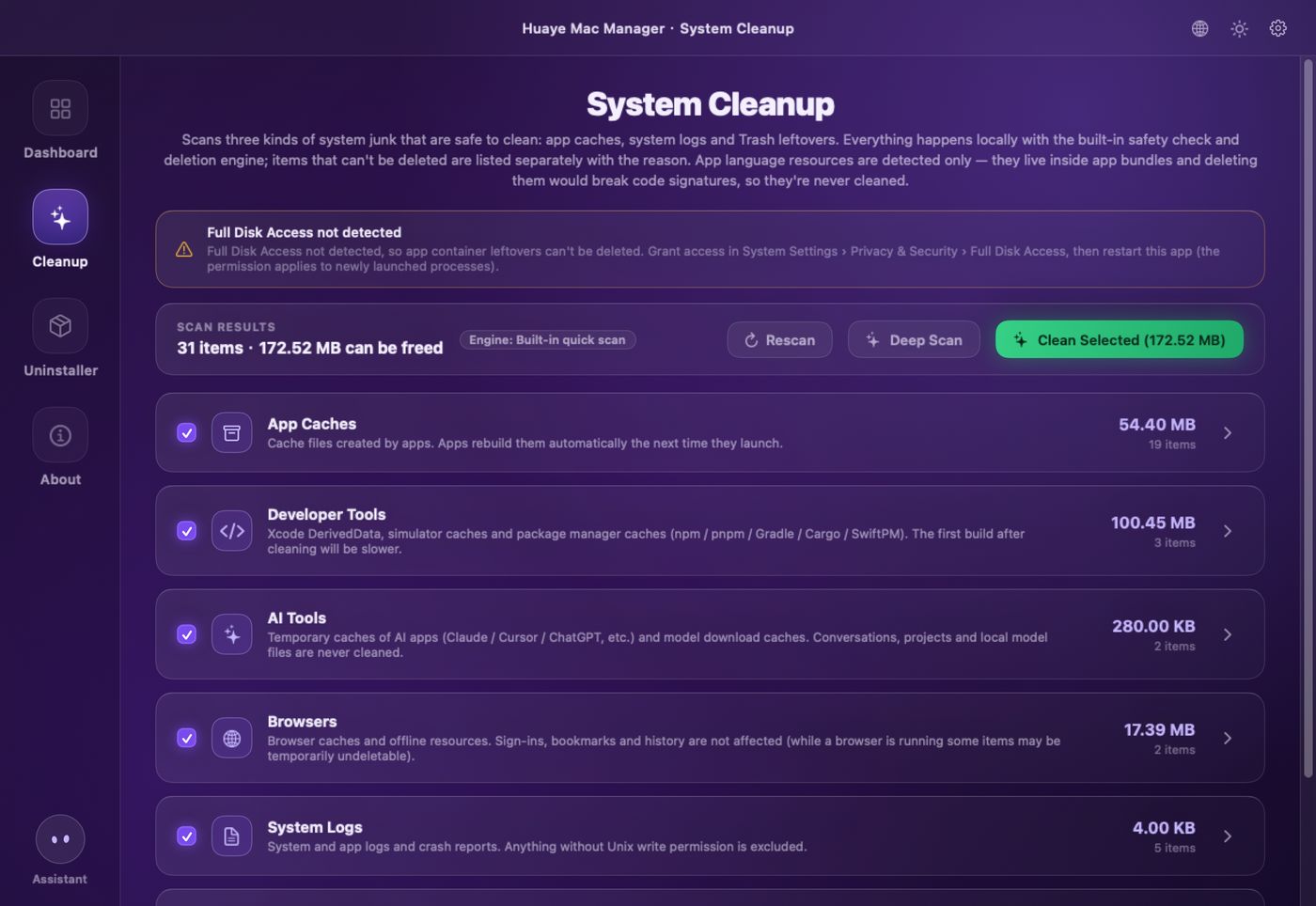
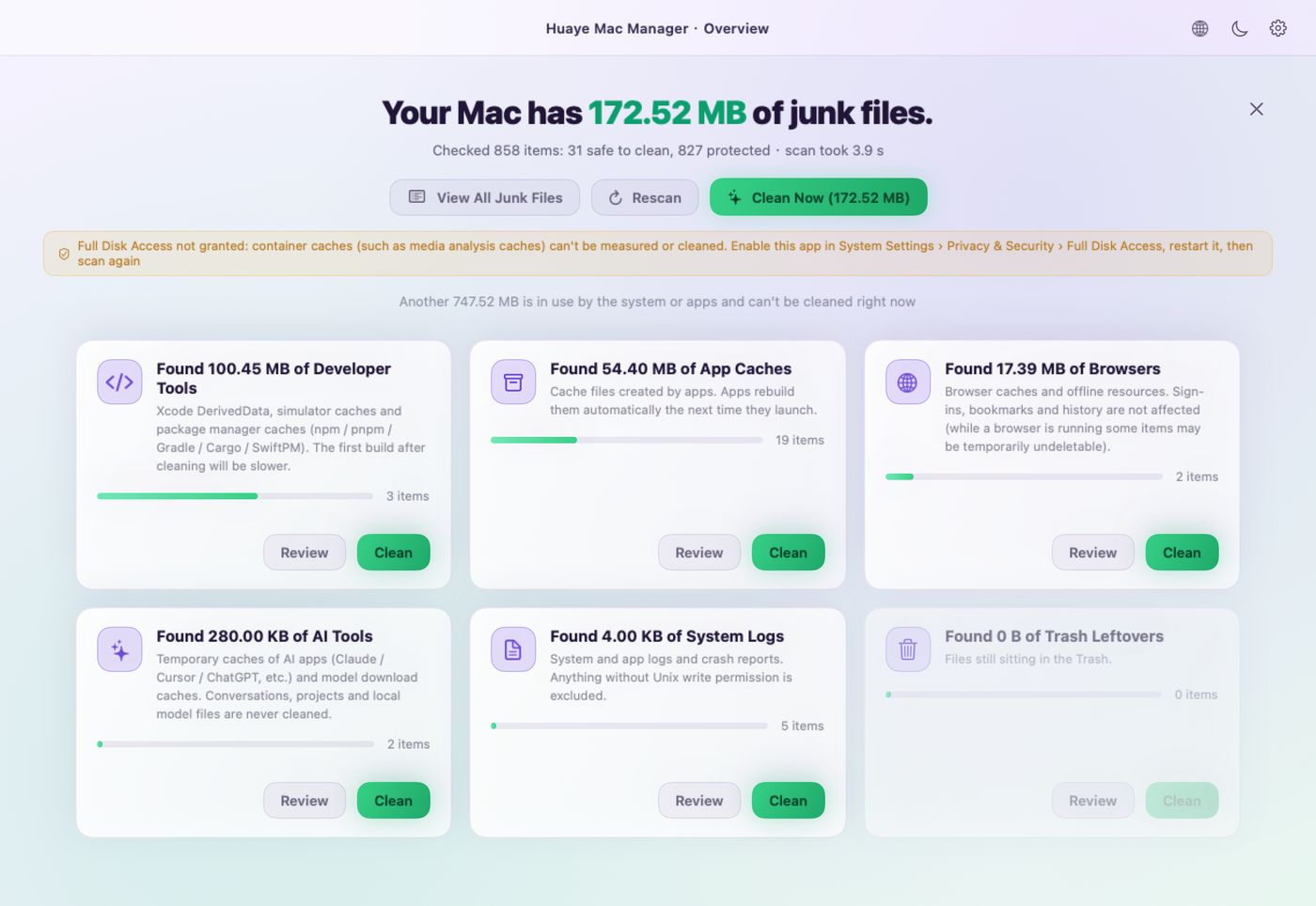
Six categories: app caches, developer tools, AI tools, browsers, system logs and the Trash. Protected content — such as language resources inside app bundles or caches in use — is counted but never deleted.
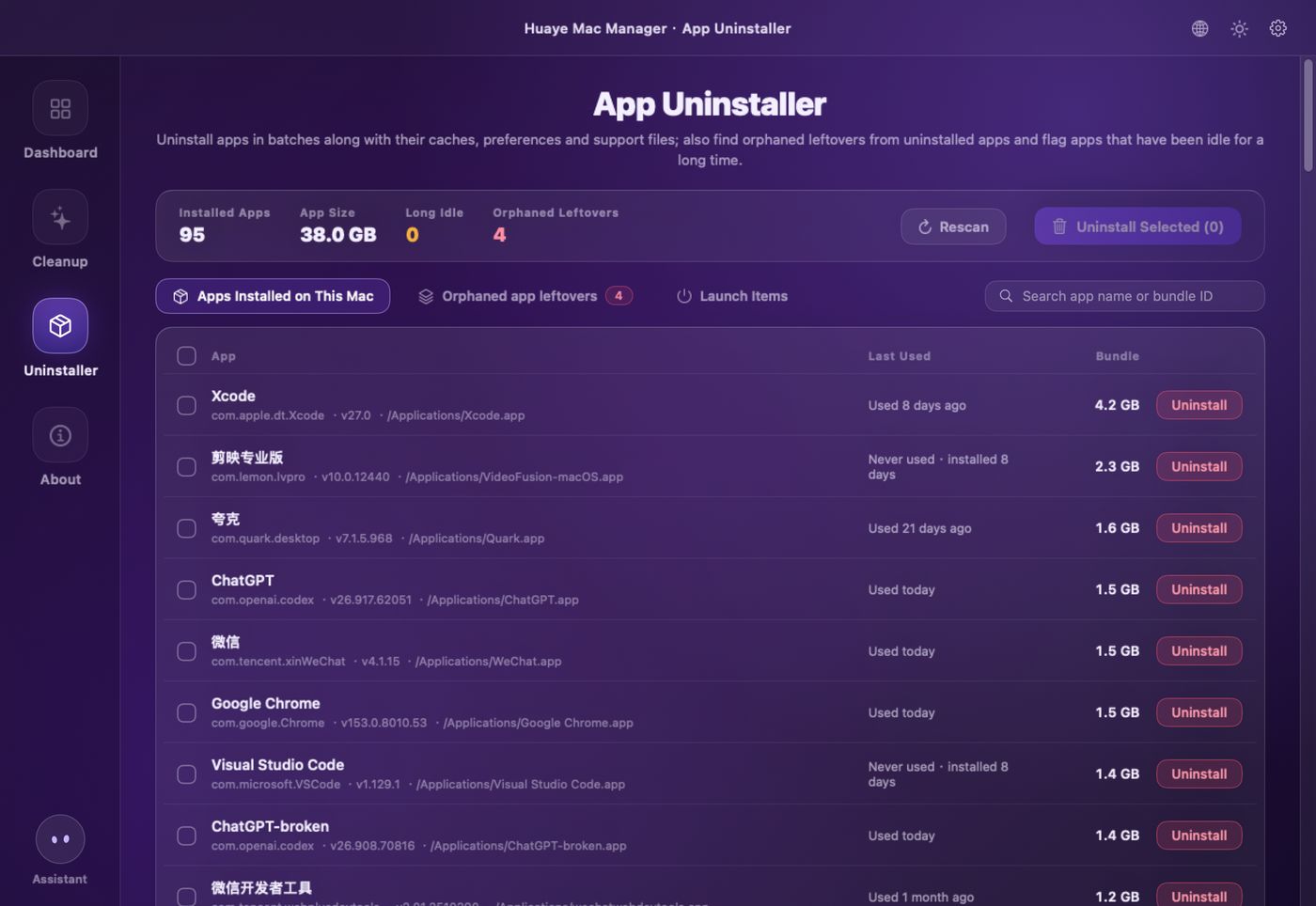
Uninstall apps along with their caches and support files, and find orphaned leftovers from apps you already removed. Leftover matching has strict boundaries, so apps with similar names are never touched.
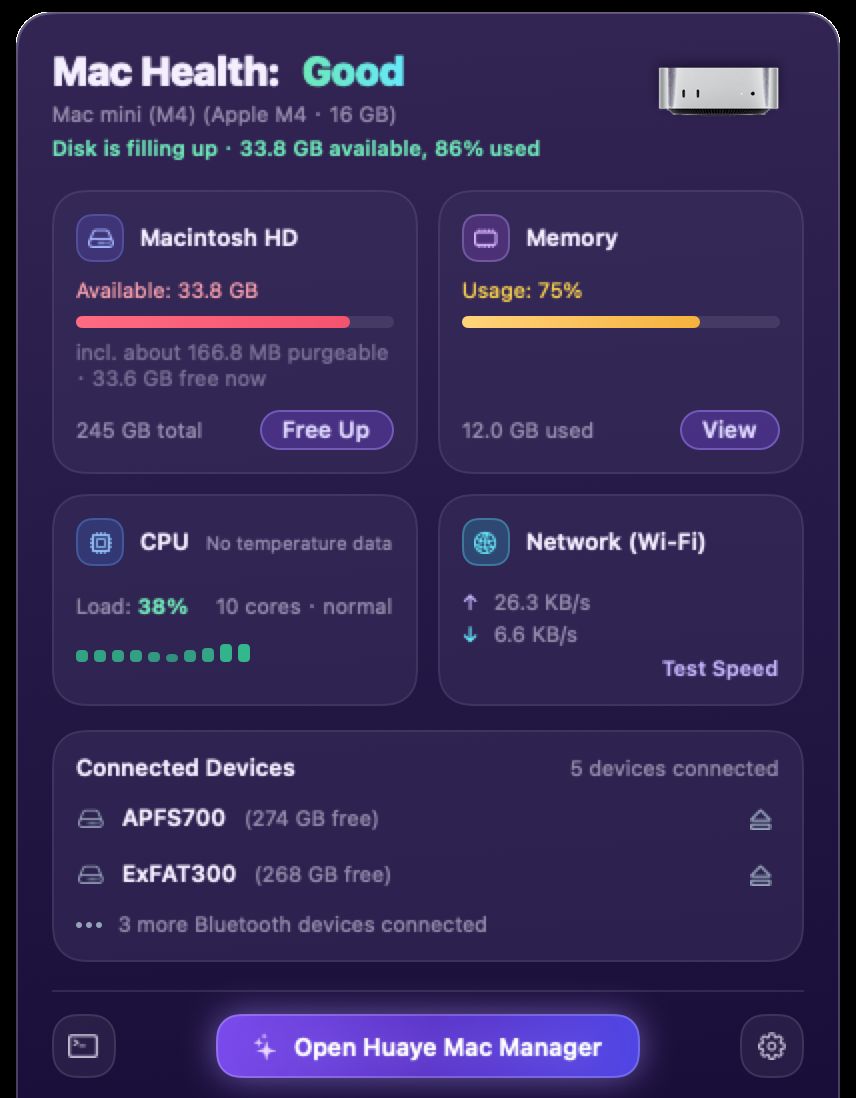
Click the menu bar icon to see Mac health, disk, memory, CPU, network and external devices — plus a one-click speed test and safe eject for external drives.
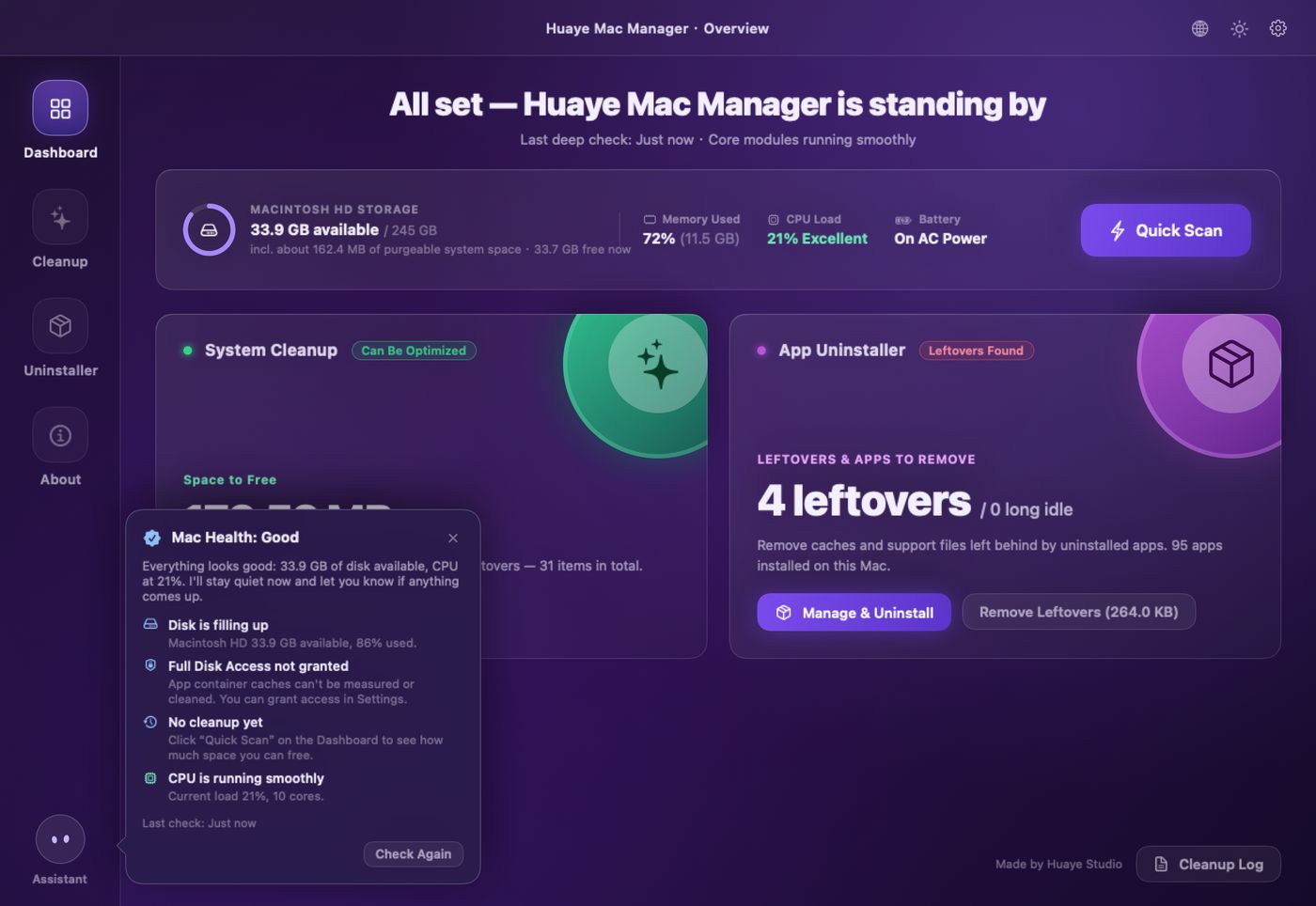
At every launch, the assistant in the sidebar checks your Mac — disk, CPU, temperature, memory pressure, permissions, license and your last cleanup — sums it up in one bubble, and tucks itself away after a few seconds.
Not a slogan, but four mechanisms you can verify.
Every deletion goes through the same safety check and allow list; critical system paths are rejected outright.
Every deletion is written to a local audit log you can review any time in the Cleanup Log.
It goes online in just two cases: when you click “Test Speed”, and a once-a-day update check that only downloads a version info file from our website and sends no device or user information — and you can turn it off. No account, no telemetry.
No accounts, no cloud sync. Quitting the app ends every background process.
The first launch starts a 14-day trial with every feature — no sign-up. Afterward the menu bar panel, health check and scanning stay free forever; cleanup and uninstalling need a license.
Upgrading: quit the old version from its menu bar icon, then install over it. Settings, logs and your license are kept.
No. The app is signed with an Apple Developer ID and notarized by Apple, so it opens with a double-click — no “unidentified developer” warning.
It’s optional. With it, leftovers in app containers can be cleaned; restart the app after granting it. It doesn’t cover root-owned paths like /var/log.
Every deletion passes the path safety check and allow list, and critical system paths are rejected. Every removed item can be reviewed in the Cleanup Log.
13 languages: English, 简体中文, 繁體中文, 日本語, 한국어, Français, Deutsch, Español (Spain / Latin America), Português (Brazil), Italiano, Bahasa Indonesia and हिन्दी. By default it follows your macOS preferred language; switch with the globe icon in the title bar or in Settings › Appearance › Language — it takes effect instantly.
Yes. v2 is a universal binary: Apple Silicon and Intel use the same download. macOS 13 or later is required.
No. Quit the old version from its menu bar icon and drag the new one into Applications; settings, cleanup logs, license and trial period are kept. Full Disk Access is tied to the signature, so re-enable it and restart the app after upgrading.
No. There are no accounts and no cloud sync. The app only goes online for the speed tests you start and a once-a-day update check that sends no device or user information (you can turn it off in Settings).
 Huaye Mac Manager